
Windows app · Files & PC
Bulk File Renamer
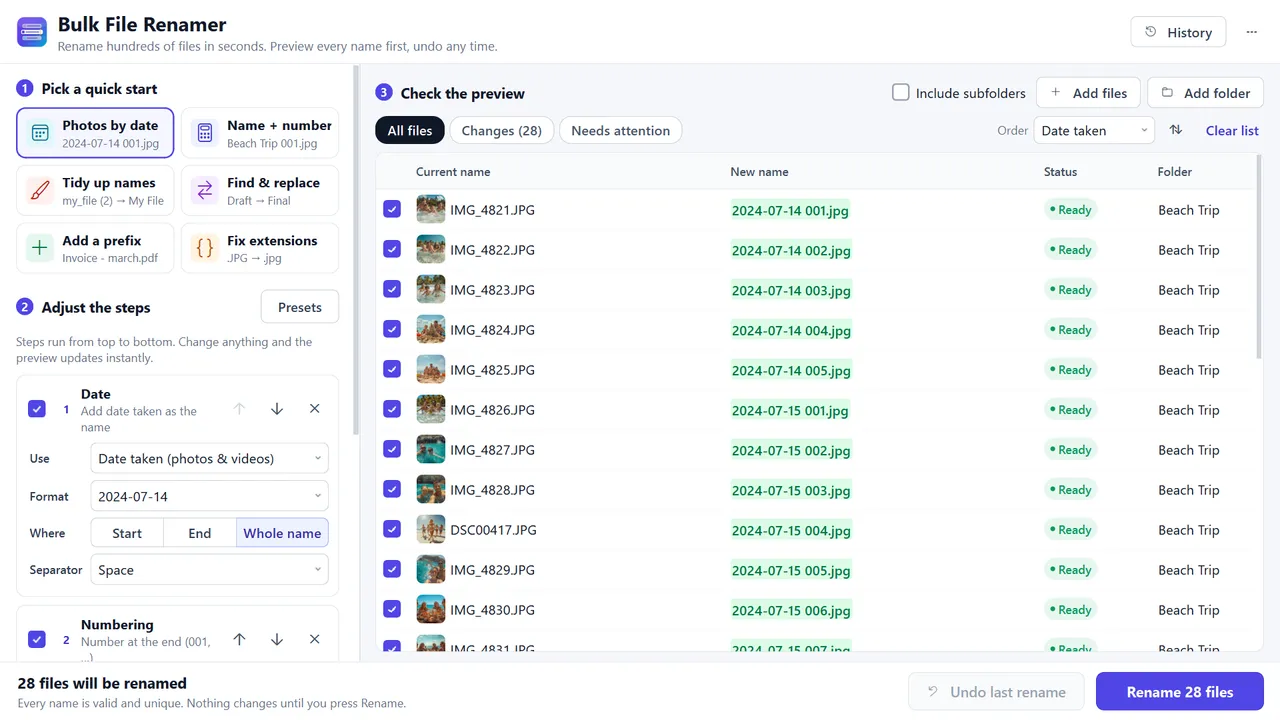
Rename hundreds of files with live preview and full undo — photos by date taken.

About Bulk File Renamer
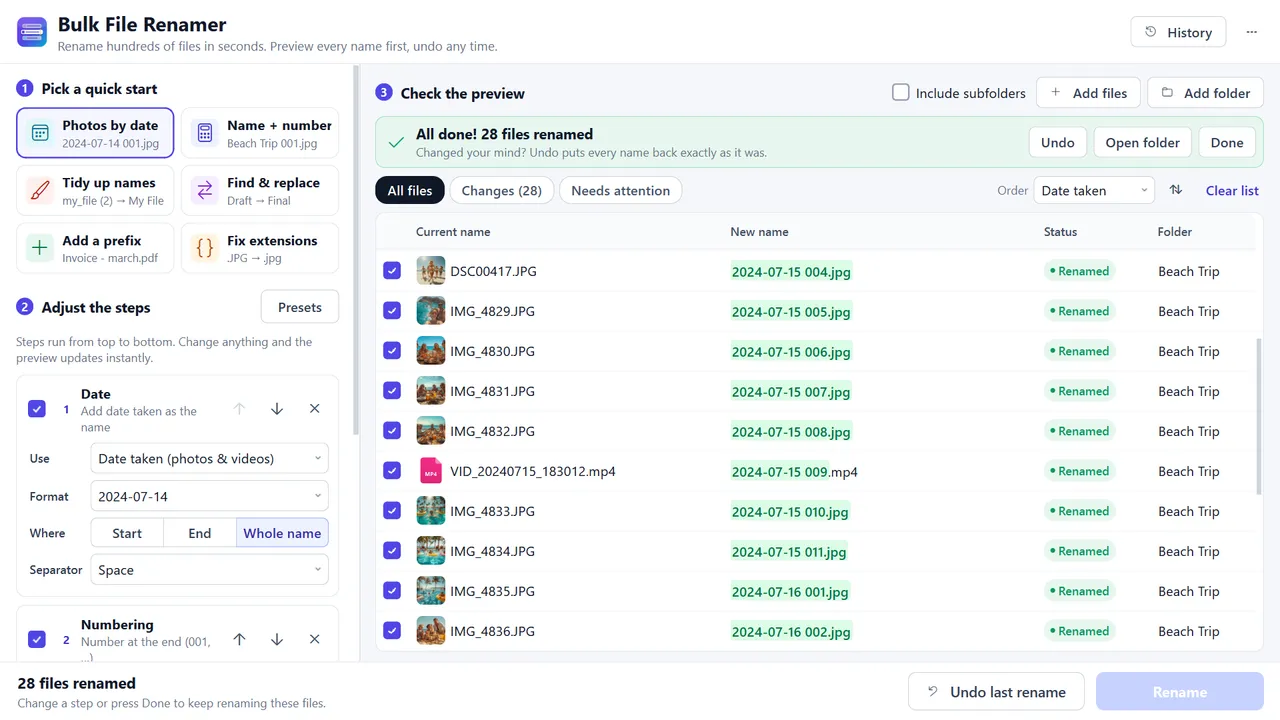
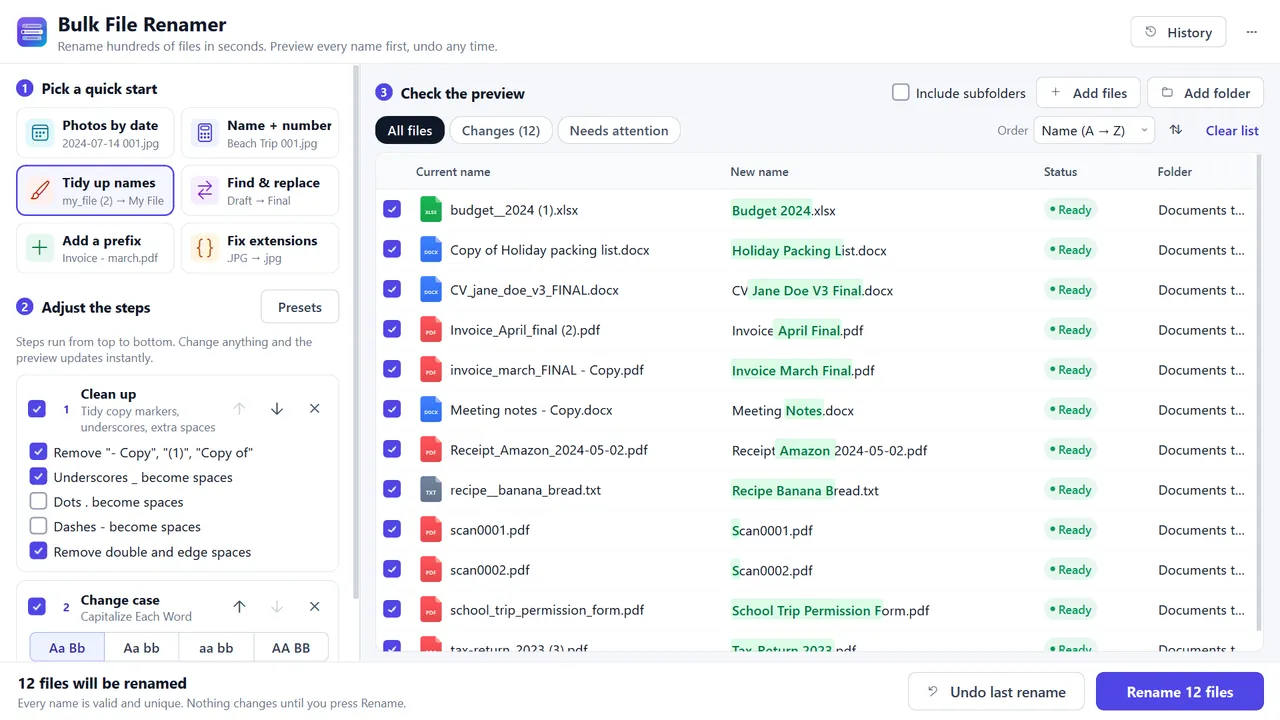
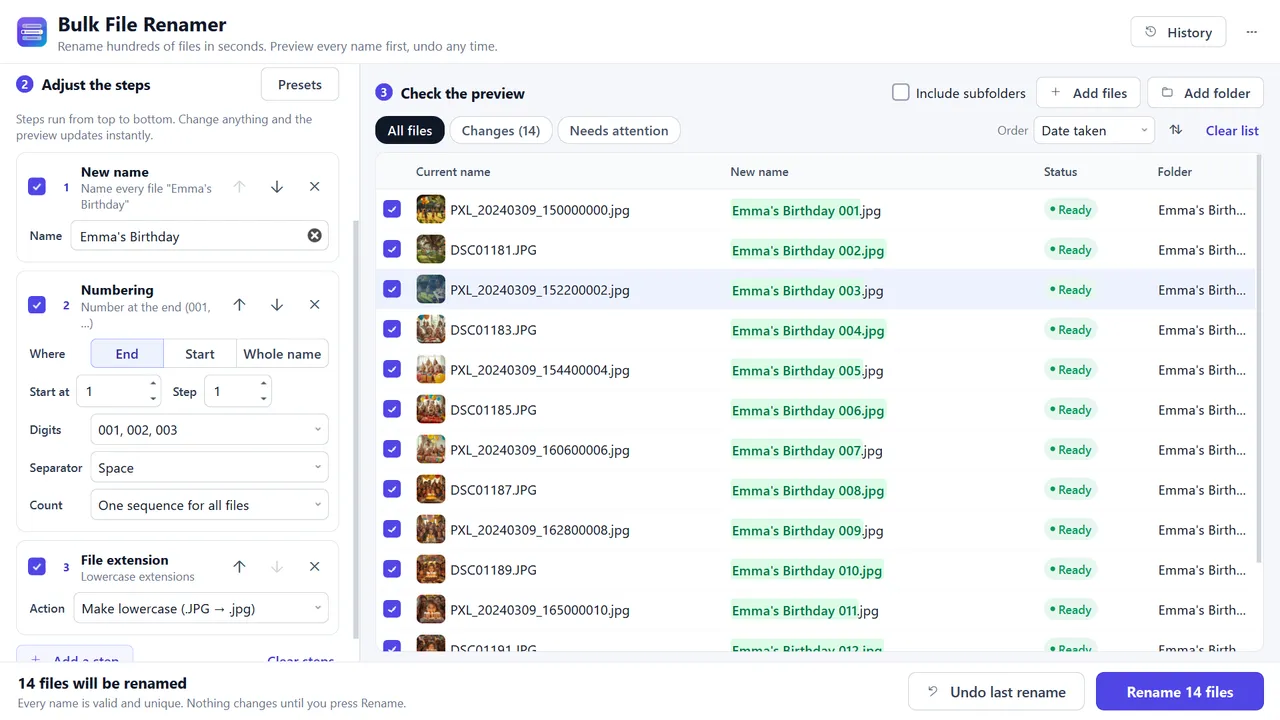
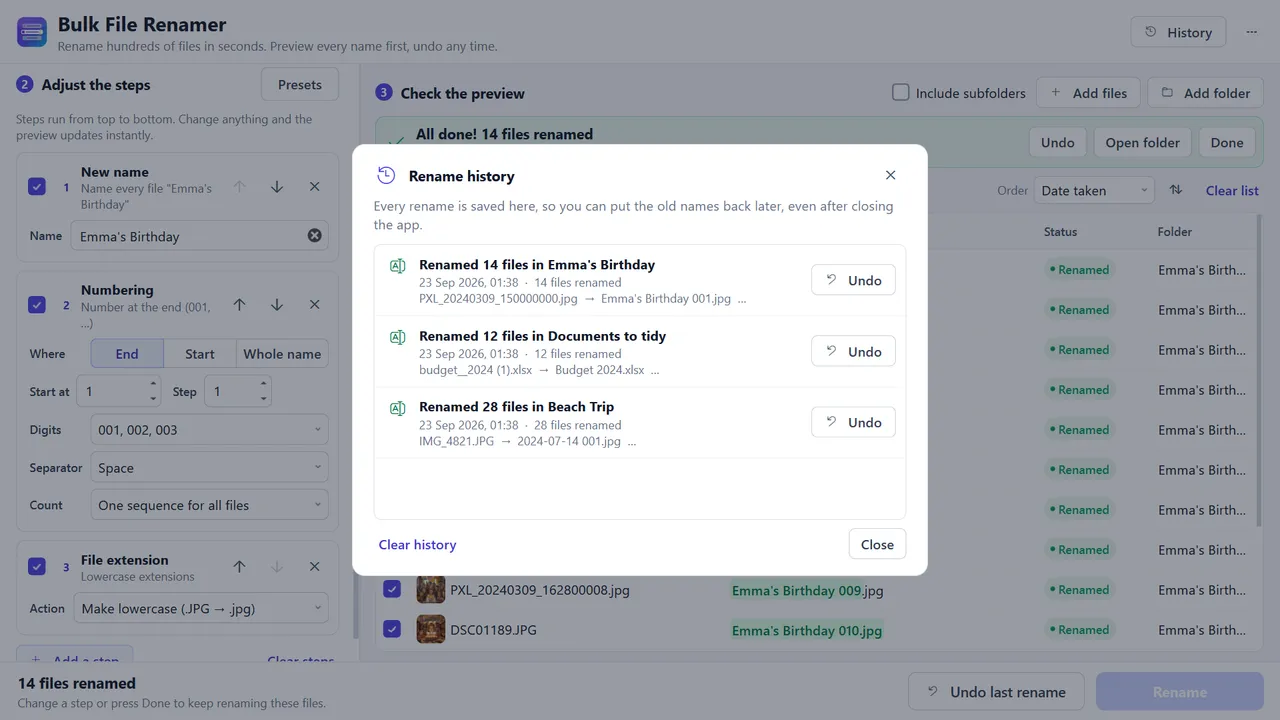
Bulk File Renamer turns folders full of names like IMG_4821.JPG and "invoice_final - Copy (2).pdf" into names you can find, such as "2024-07-14 Beach Trip 001.jpg". Add a folder, pick a quick start or build your own steps, check the live preview with the changed part highlighted, then press Rename. Photos by date taken, name + number, tidy-up for messy copies, find & replace, numbering, case changes, and more. Duplicate names get (2) automatically — nothing is overwritten. Full rename history with Undo for every batch, even days later. No account, no ads, no internet access, no telemetry. One-time purchase. Windows 10 version 1809+ (x64).
Highlights
- Rename hundreds of files at once with a live preview of every new name
- Photos by date taken from JPG, HEIC, PNG, WebP, MP4, MOV and more
- Name + number in the order photos were taken; tidy up "- Copy" and "(1)"
- Find & replace, add text, remove characters, numbering, case, and extensions
- Duplicate names get (2) automatically — nothing is overwritten
- Undo any past rename from History, even after restarting
- Drag and drop files, folders and subfolders; save steps as presets
- Works offline: no account, no uploads, no ads
Screenshots
More files & pc
- Windows

DiskAtlas Pro
See what is filling your drive — treemap, largest files, duplicates, safe cleanup.
Microsoft StoreView app - Windows

Duplicate File Finder & Photo Cleaner
Find exact duplicates and similar-looking photos; remove safely to the Recycle Bin.
Microsoft StoreView app - Windows

Share Files PC
Send files between PC and any phone over Wi-Fi — scan a QR code, nothing to install.
Microsoft StoreView app